As we’ve grown, we’ve noticed that more of you are thinking about how you can manage Hex at scale. With the ability for everyone to explore data conversationally using Threads, there are a bunch of new things to think about. Building and curating context for AI powered analytics is something data teams are increasingly focused on.
Today, we are announcing improvements that allow you to control Hex from outside of Hex. From managing guides to leveraging APIs, we’ve built a bunch of ways for you to fit your Hex work into the processes and tools that help your team stay in sync.
🐱 GitHub Action for managing context guides
Earlier this year we shipped Guides, which allow you to add unstructured context for agents about specific areas or domains.
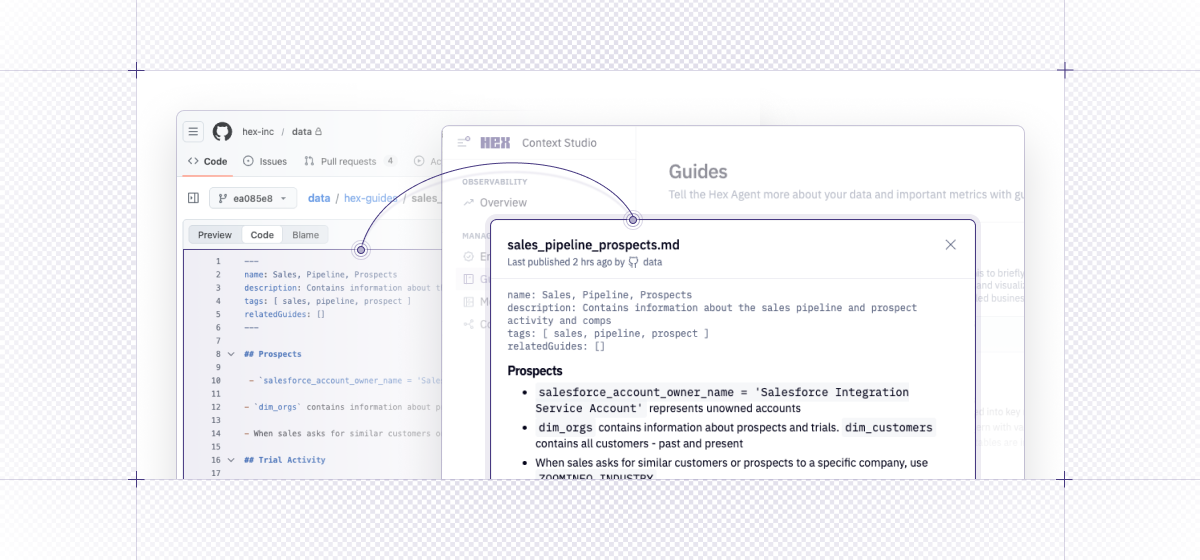
Today, we're shipping a GitHub action that'll let you sync guides from git repos, so you can easily incorporate context that's authored or managed elsewhere. This action uses our new guides API, providing a flexible, easy way to keep context up to date.
Want to keep all your context centralized in your dbt repo? No problem, on merge you can use the GitHub action to automatically push updated guides into Hex.
Here’s how it works:
- 🐱 Manage your workspace guides in GitHub, or use what you already have.
- 🏃🏻 The new Action will then sync over any changes on the main branch.
- 🌟 Hex’s Agents will then have up-to-date, fresh context – and you can see how it’s being used right in the Context Studio.
Ready to set this up? Check out our learn docs.
🖥️ New external CRUD API endpoints
We released a family of new endpoints that allow you to create projects and update and delete cells. With our API, you can build your own Hex workflows using tools like Claude Code, Codex, or Cursor.
You can do cruddy things like:
create- create an empty draft of a new projectupdate- update the contents of cells as well as metadata like the data connectiondelete- cell who? bye 👋
We have some super secret plans for how this API will come to life for those of you who love building in the command line, so stay tuned!
Our full API reference is available here.
🐍 Python 3.12 kernel available
We now support Python 3.12. You can adjust which version of the kernel you use in the environment menu. This gives you:
- ⚡️ Faster Notebook performance, especially for users running heavy computations or large dataframes
- 🐛 Better error messages (instead of cryptic stack traces) that point you exactly to the problem
- 📆 We’re also announcing this on 3/12. Coincidence? Yes… actually.
And yes – we are working on fully catching up to latest releases and better kernel version management generally – more soon.
🏠 chDB “easy button” for ClickHouse users
In case you missed our announcement yesterday - you can now write python in Hex and run it natively in ClickHouse using their chDB in-process pythonic database. With one click, we’ll import all the libraries you need, and you can use the Hex Agent to write chDB-native code.