What is Hex?
Hex is an AI analytics platform that makes it easy for anyone to explore data, with answers you can trust.
The fastest way to get trusted answers from data
Hex allows you to ask questions, explore data, and build shareable apps, all in plain language. It gives your company a shared platform to collaborate with teammates and AI agents, with every answer and analysis grounded in trusted context about your business.
Companies use Hex across a range of analytics workflows to bring data into everyday work across the organization, from analysts and data scientists to business users and executives.
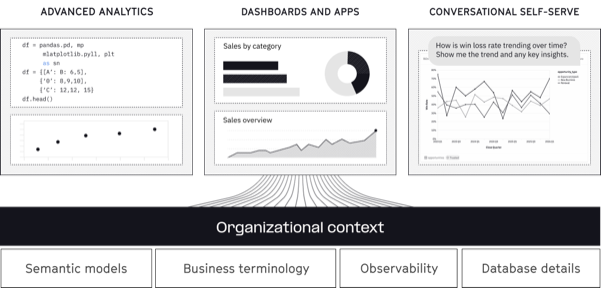
- Self-serve in plain language. Get answers and ask follow-ups without navigating complicated drag-and-drop interfaces or filing a ticket to the data team.
- Explore data deeply. Investigate questions with AI-generated SQL + Python, test ideas, and follow analysis wherever it leads.
- Build and share artifacts. Turn analysis into interactive apps, dashboards, and reports with just a prompt.
- Ground every answer in shared context. Keep AI aligned with trusted business definitions and logic.
- Govern and improve AI at scale. Observe usage, audit how answers are produced, and automate improvements to context over time.
How is Hex different?
Ask, explore, publish — from anywhere
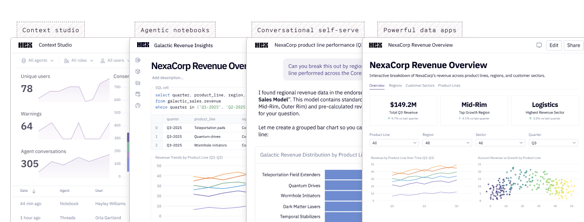
Hex connects together workflows that are often fragmented across BI tools, notebooks, and standalone AI assistants, without forcing everyone into a single interface. Teams can ask questions and build in Hex or through the tools they already use, while staying connected to the same trusted context, execution layer, and governance.

- In Hex: Ask a question, dig into the data, then turn the result into a dashboard or app in one seamless flow.
- Through MCP: Ask questions and explore data from tools like Claude or ChatGPT, while using the same governed context and retaining visibility into how answers are produced.
- From the CLI: Build and edit analysis from coding agents like Claude Code or Codex, then publish that work into the same shared, governed environment.
- In Slack: Ask about a metric in the middle of a conversation and get a trusted answer with the same context Hex uses everywhere else.
That means answers from AI don't become yet another disconnected analytics layer. Questions, analysis, apps, and the context behind them stay connected, reusable, and governed, whether the work starts in Hex or somewhere else.
Trust and control behind every answer
Hex gives data teams the trust and control they need to deliver AI analytics across an organization. By grounding every agent interaction in shared context about your company's data, Hex's context engine keeps answers accurate and consistent, while giving you complete visibility into how answers were produced and control over who can access what.
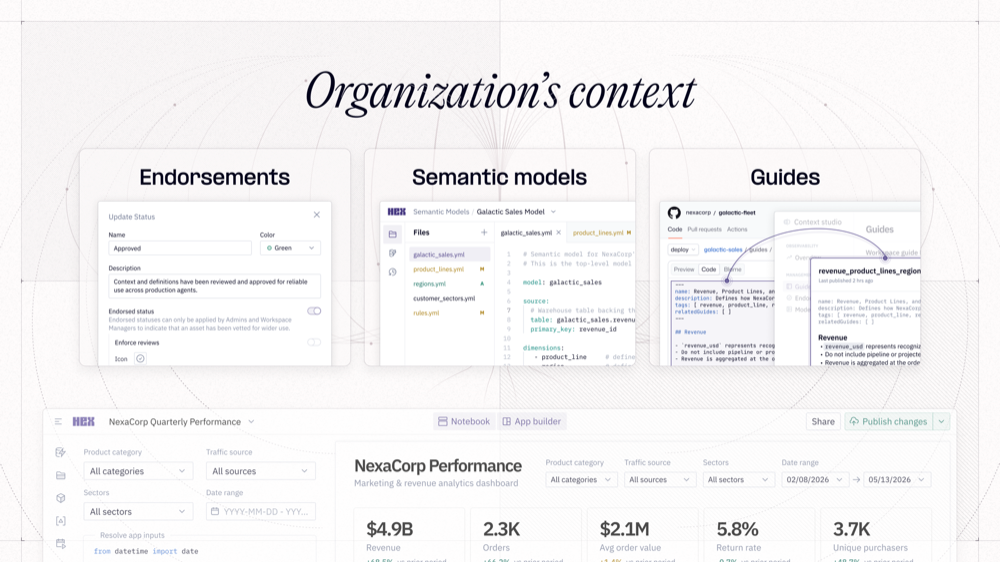
- Bring context from anywhere. Sync semantic models, dbt code, warehouse metadata, markdown files, external apps, and other context resources without rebuilding everything in a proprietary layer. Or build context directly in Hex and keep it portable.
- Improve context over time. Hex automatically identifies gaps in your context, captures useful knowledge from questions and analysis, and continuously sharpens your context resources so future answers improve with use.
- Continuously evaluate answers. Use evals to measure response quality, catch regressions, and improve agent performance over time.
- See every step behind every answer. With Context Studio, inspect the context used, queries run, and steps taken to produce an answer. Whether the question was asked in Hex, Slack, ChatGPT, Claude Code, Cursor, or elsewhere, you retain full visibility and lineage into what happened.
- Keep access governed. Apply permissions and data controls consistently so every user and agent only accesses the data and context they're authorized to see and use.
Resources to get started
Connect your data, set up foundational context, and start exploring with AI.
For admins
- Connect your data. Set up the warehouse and data connections your team will use in Hex.
- Set up your workspace for AI agents. Configure trusted data, context, and workspace foundations so AI agents can return better answers.
- Admin 101. Learn the core workspace, permissions, and administration setup.
For users
- Learn the Hex basics. Get familiar with asking questions, exploring data, building analyses, and publishing apps.
- Explore AI best practices. Learn how to get better results from AI across Threads, Notebook Agent, and other Hex workflows.
Don't hesitate to reach out to support@hex.tech or chat with us live from the ? menu in the bottom left of your project.