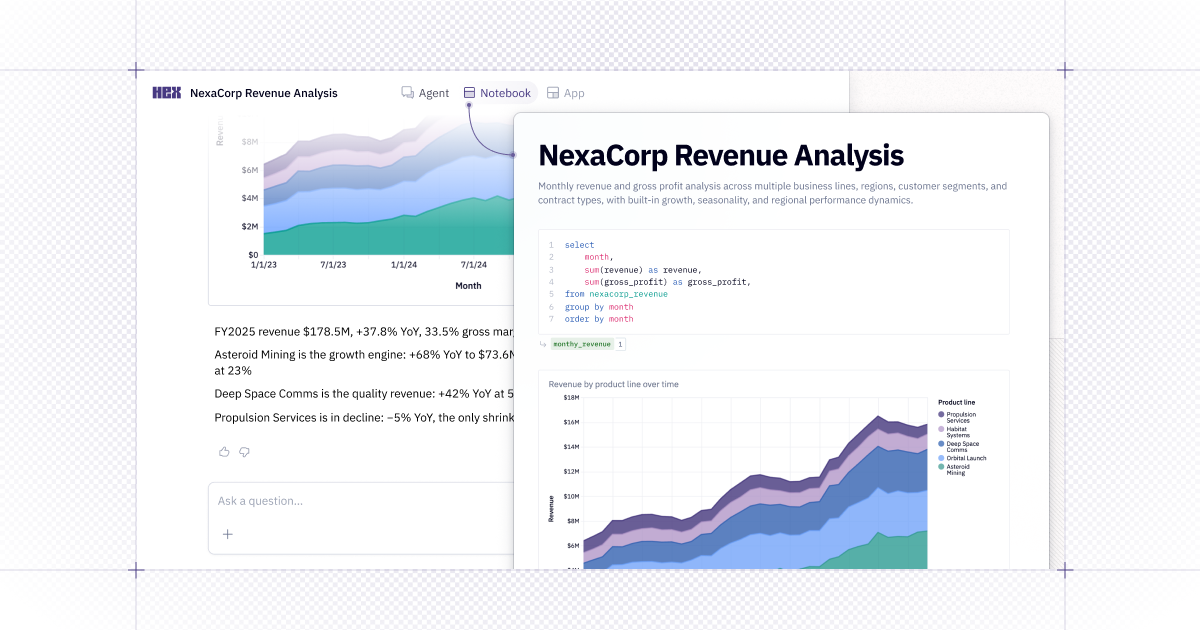
🤖 Quickly toggle from chat to notebook
Previously, you needed to wait a minute for Hex to convert your Thread to a notebook, now it happens automatically.
After starting a conversation with the Hex Agent, you can easily switch views and build in the underlying notebook. And if you're in the notebook view but just want to focus on the conversation, swap views so the code stays out of the way.
The conversation persists no matter what view you're toggling between.
Worried about your conversations cluttering your project list? Not to worry — projects created from agent conversations are unlisted to start, so nothing shows up in your project list until you decide to promote it or save it as a published app.
💬 The Hex Agent reads the whole Slack thread
Tag @Hex mid-conversation and the Hex Agent now picks up the discussion that came before it.
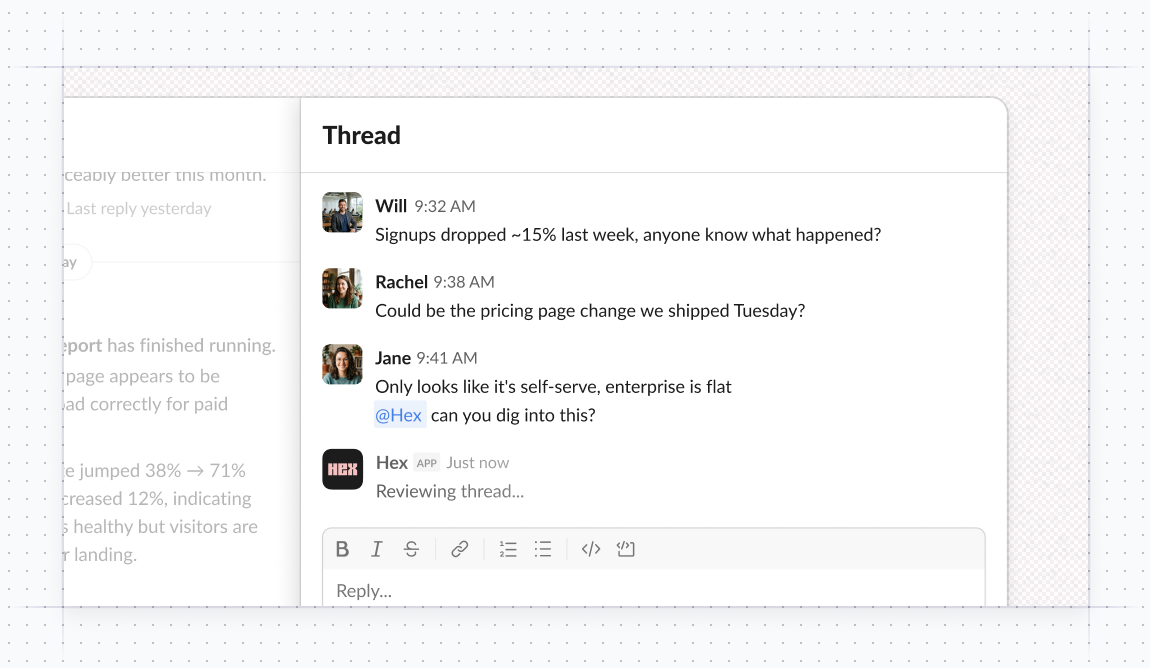
Previously, the agent only saw the message that mentioned it, so "can you dig into this?" or "can you check these numbers" meant you had to restate the question. Now the Hex Agent pulls in the original message and replies, along with who said what.
That means threaded follow-ups actually get answered instead of met with "which metric do you mean?", and handoffs from a team discussion to the agent don't require restating what was already said.
Learn more about the Hex Agent in Slack.