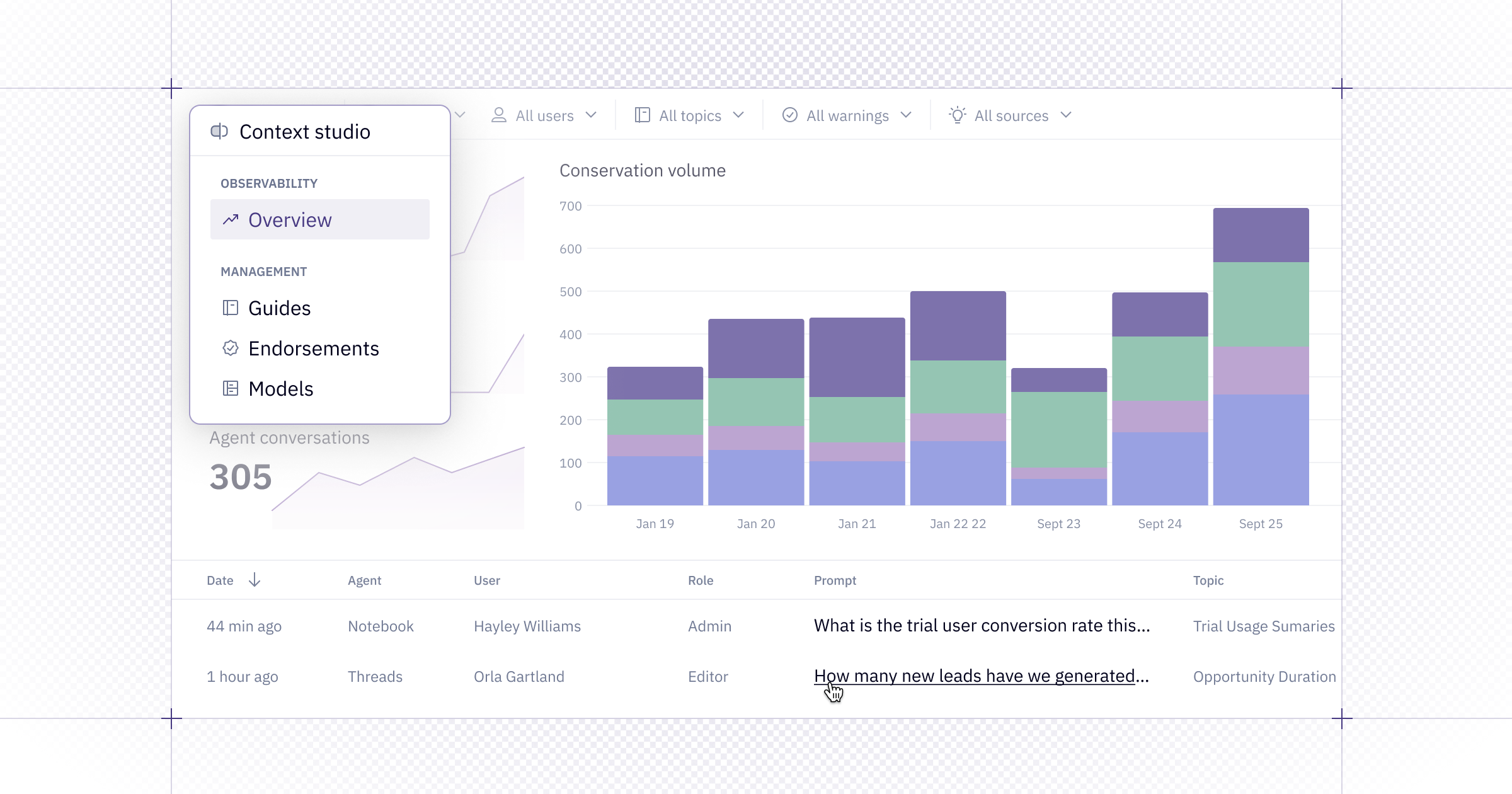
🕵🏼♀️ Introducing Context Studio
As agents become central to analytics, data teams need a way to ensure they're responding accurately and consistently. Today, we're introducing Context Studio — a unified toolkit that brings agent observation, improvement, and deployment into one workflow. With Context Studio, teams can finally scale AI with trust and confidence.
From the Context Studio, data teams can:
- Observe agent performance across all Hex surfaces with AI-generated topics and warnings
- Diagnose issues using the Thread inspector with specific improvement suggestions
- Curate context with endorsements, semantic models, and workspace guides
- Test changes in preview before deployment with full version control
- Deploy improvements with confidence, knowing you won't break existing behavior
Context Studio is available to Admins and Managers on Team and Enterprise plans. Admins get full access to individual conversations and context management; Managers can view aggregated metrics and make context improvements.
Read our full announcement to learn more.
🤫 Sensitive mode for Threads
You can now mark a Thread as sensitive via the data connections option. When you mark a thread as sensitive, the contents of that thread are hidden from Admins in the Context Studio.
⚡ Query mode performance and feature upgrades
Query mode is now a first-class citizen in Hex, with significant performance improvements and feature parity with dataframe mode.
We've optimized query mode to reduce the number of queries sent to your warehouse and parallelized queries where possible, making projects that run fully against the warehouse much faster.
Query mode now includes:
- CSV downloads from query mode results
- Improved performance through query reduction and parallelization
- Easier to stay in query mode once you've opted in