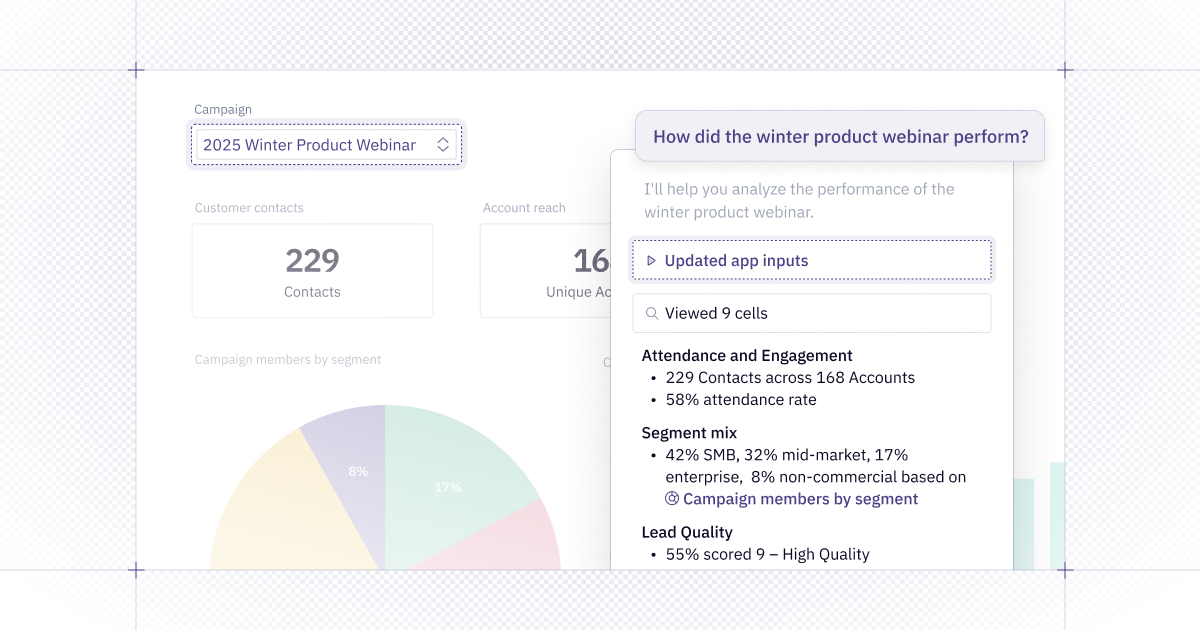
Love them or hate them, dashboards are the standard for most data sharing, and where a lot of follow-up questions for data begin. Today, we’re releasing Chat with App, a way to explore your Hex apps just by talking to them. We’re also releasing some new ways to bring endorsed data into our agentic experiences to help provide consistent, relevant answers. And as requested by many of you, the launch of TV mode, so you can binge-watch your favorite apps.
💬 Chat with your published apps
You can now chat directly with your published apps to explore and understand them in an entirely new, more intuitive way. Chat with App makes it easier for anyone to consume and navigate an app, allowing users to ask questions in plain language instead of requiring them to dig through the project's underlying logic or reach out to the data team. The agent can summarize insights, locate specific cells, adjust filters and inputs, and understand the project's underlying logic, all directly within the app experience.
Chat with App is available now for users with Explorer roles on projects that they have “Can explore” permissions to. See our documentation for more details.
Looking ahead, we’re excited to expand the agent’s capabilities to create new logic, allowing it to answer an even broader set of questions and analyses while continuing to take advantage of published app context.
🖊️ Endorsed Mode for Explorer Users
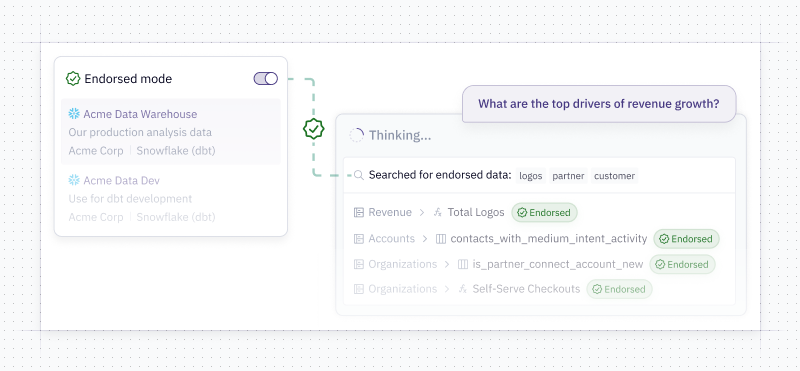
We are introducing an Endorsed Mode for the Hex Agent in Threads. This provides a streamlined simple approach for data teams to define which data is ready for everyone to use. When in Endorsed Mode, the agent will only use project, table or semantic model context that’s endorsed, i.e. explicitly reviewed and approved by data teams. It’s on by default for Explorer users and an optional mode for Editors.
For editors, toggling on Endorsed Mode makes it easy to ask a question about a different domain that they may not be familiar with. For Explorers, this means they can trust all the data being used has been approved by their data team.
Want to start rolling out Hex’s agent to more folks on your team? We’ve done a lot of thinking about this - check out our guide for enabling AI analytics!
👾 Apply Endorsed Status via Hex’s API
You can now programmatically apply endorsements to projects, semantic models, and data assets through our API. The new endpoints allow you to bulk-update statuses across your workspace, helping data teams maintain trusted context for the Hex Agent without manual clicks.
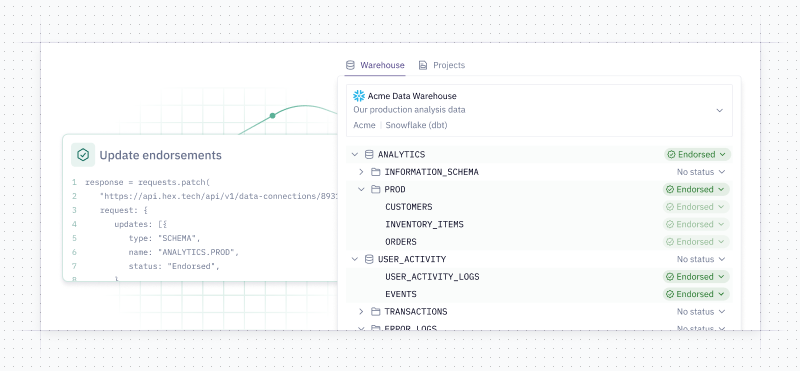
Not sure where to start? Check out the Context Studio for your one stop shop for curating your Hex context.
📺 TV mode
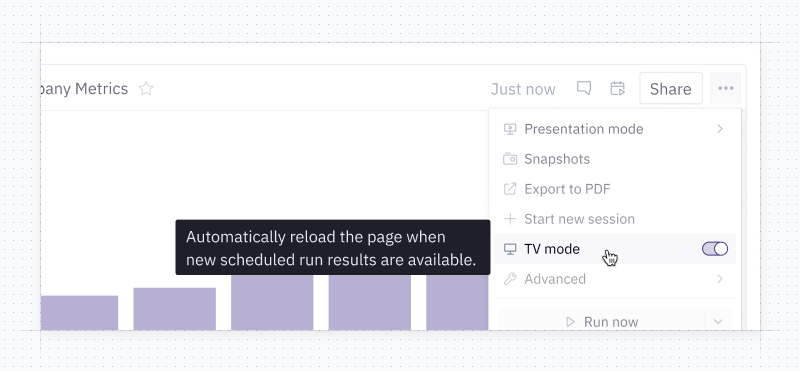
TV Mode is designed for displaying Hex apps on monitors, TVs, or any always-on display. When in TV mode, apps automatically refresh whenever a new results from a scheduled run become available. Learn more about details and best practices for TV mode in our help docs.
🛠️ Other improvements
- The Notebook Agent can update and add cells to a published app: The agent can now configure cells in published apps. A user can say something like "add all the 4 charts and text cells you just created to to published app" - this will use the same logic as if a user clicked the "add to app" button.
- Better query mode performance: Projects utilizing query mode now skip upstream cells that are not included in the app – the fastest query is the one you don’t need to run. As a bonus: if you choose “Query” as the return type for a SQL cell, subsequent SQL cells you create will follow suit.
- Snowflake OAuth token expiration notifications: We built an email notification for expiring personal OAuth tokens. Now, Editors whose tokens are embedded in the notebook or published app are notified prior to their token expiring to refresh it, avoiding annoying situations where a viewer can’t view an app because an Editor forgot to refresh their credentials.
- Responsive chart legend positioning: Chart legends will automatically move to the outside-bottom when the chart is very narrow (unless the legend is set to outside-top). This subtle change has the added benefit of making charts more likely to look classy on a mobile device.