Context Studio
Observe, evaluate, and improve how Hex agents behave across your workspace.
- Available on the Team and Enterprise plans.
Context Studio enables Admins and Managers to observe, evaluate, and improve how Hex agents behave across your workspace. It combines observability and context management in one place, providing visibility into where agents perform well, where they struggle, and the context sources that shape their responses. This gives data teams the visibility and control they need to confidently enable agents in Hex and monitor agent performance as usage grows.
Admins and Managers can directly update Guides, Endorsements, and Models to improve agent performance, while Editors and Explorers have read-only access to these context settings for transparency into information agents are using. For guidance on configuring these context sources, see setting up your workspace for AI agents.
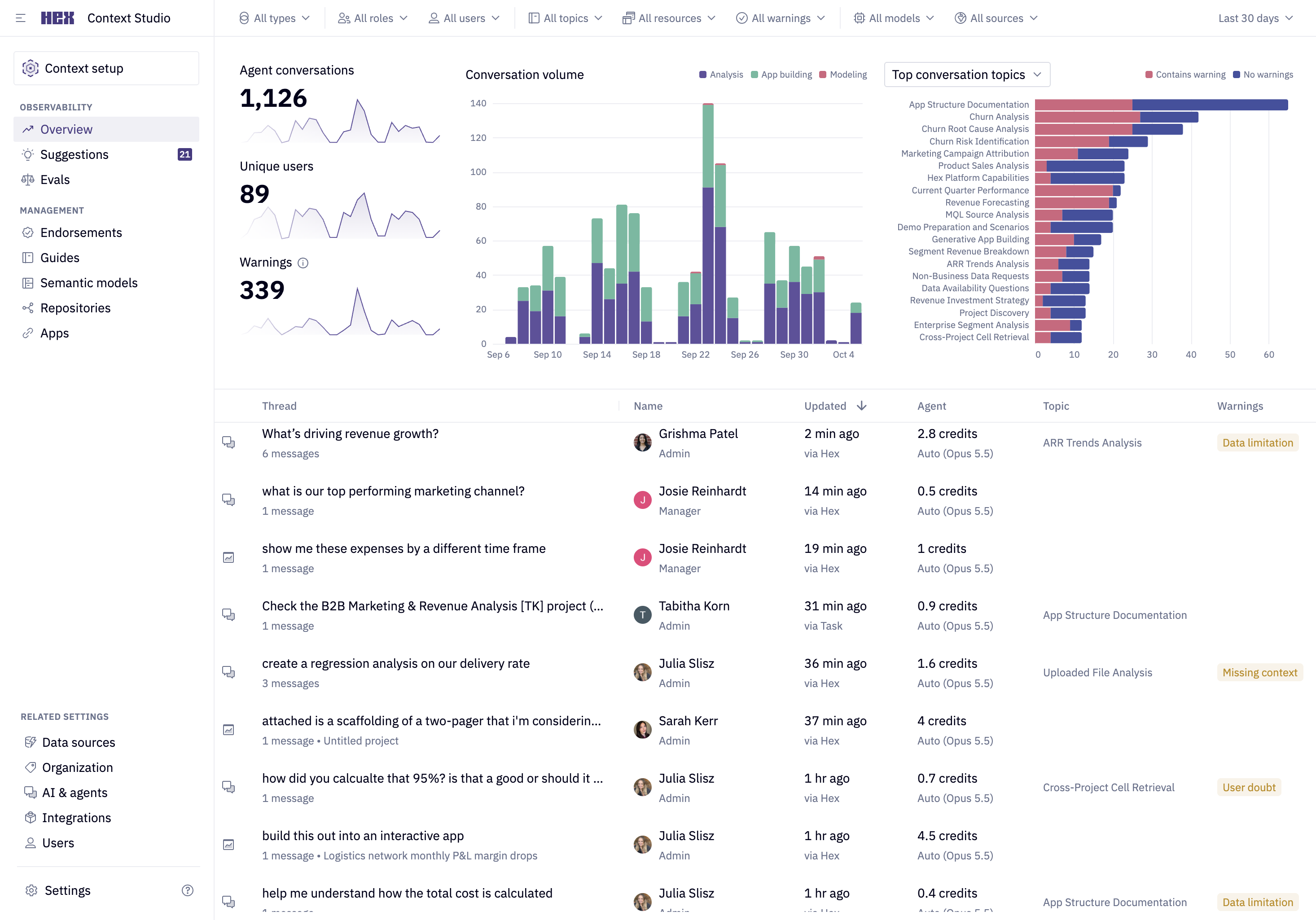
What can you do with Context Studio?
Observe agent behavior
Review how agents are used across your workspace. See what questions users ask, which topics appear most often, and where agents raise warnings or express uncertainty.
Identify opportunities for improvement
Use topics and warnings to pinpoint where additional context or guidance would most improve agent responses.
Improve context safely
Update the guidance and data definitions agents rely on, including unstructured guides, endorsed assets, and semantic models. Test changes in a controlled environment before publishing them to production.
Who can access Context Studio?
| Feature | Admin | Manager | Editor | Explorer | Viewer |
|---|---|---|---|---|---|
| Observability dashboard | ✔ | ✔ | — | — | — |
| Individual conversations | ✔ | — | — | — | — |
| Suggestions | ✔ | ✔ * | — | — | — |
| Evals | ✔ | ✔ | ✔ * | Read only | — |
| Context Management (Guides, Endorsements, Models) | ✔ | ✔ | Read only | Read only | — |
* Managers can accept or reject suggestions but can't see evidence from individual conversations.
* Editors can only run and view evals, while Managers and Admins can publish and schedule them.
Where to go next
- Observability: Monitor agent usage, topics, warnings, and individual conversations
- Context Management: Manage guides, endorsements, and semantic models
- Suggestions: Improve workspace context based on patterns in agent conversations
- Evals: Measure agent performance against defined rubrics and track progress