🔌 Hex is now an MCP client
Your data tells you what happened. The why lives somewhere else — in strategy docs, meeting notes, Slack threads, customer conversations.
Today, the Hex agent can read all of it.
Connect any tool that exposes an MCP server to the Hex agent.
As part of our public beta, we’re launching with two named connectors: Notion & Linear. Other MCP servers can also connect to the Hex Agent, and we have more named connectors in the works.
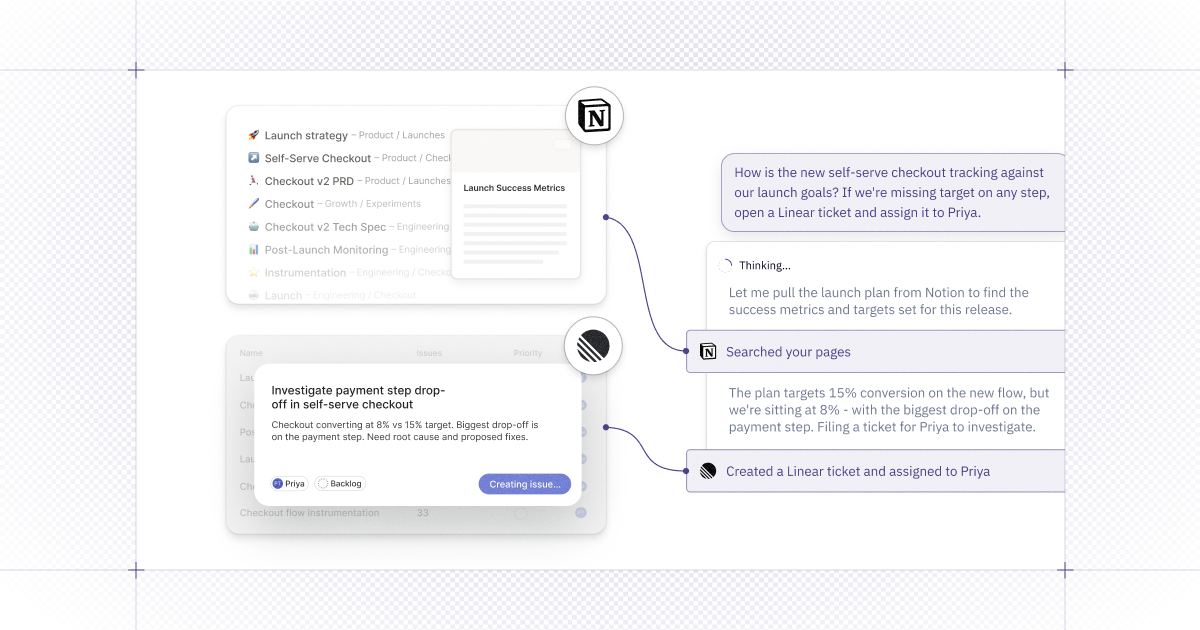
That means when your team asks a question in a Thread, the agent isn't just looking at your data — it's cross-referencing the Notion doc from the product launch, the Linear ticket that closed last week, the strategy doc your team updated before the weekly sync.
👷 How it works
- Go to Context Studio → Apps → Add MCP server
- Add Notion, Linear, or any tool that exposes an MCP server
- Once enabled, users connect their personal accounts via the
+menu in any thread
Connecting more apps is only half of it — the agent works through semantic models and definitions your team has already validated, so the answers are consistent and can be trusted.
Available today in public beta for Team and Enterprise plans.