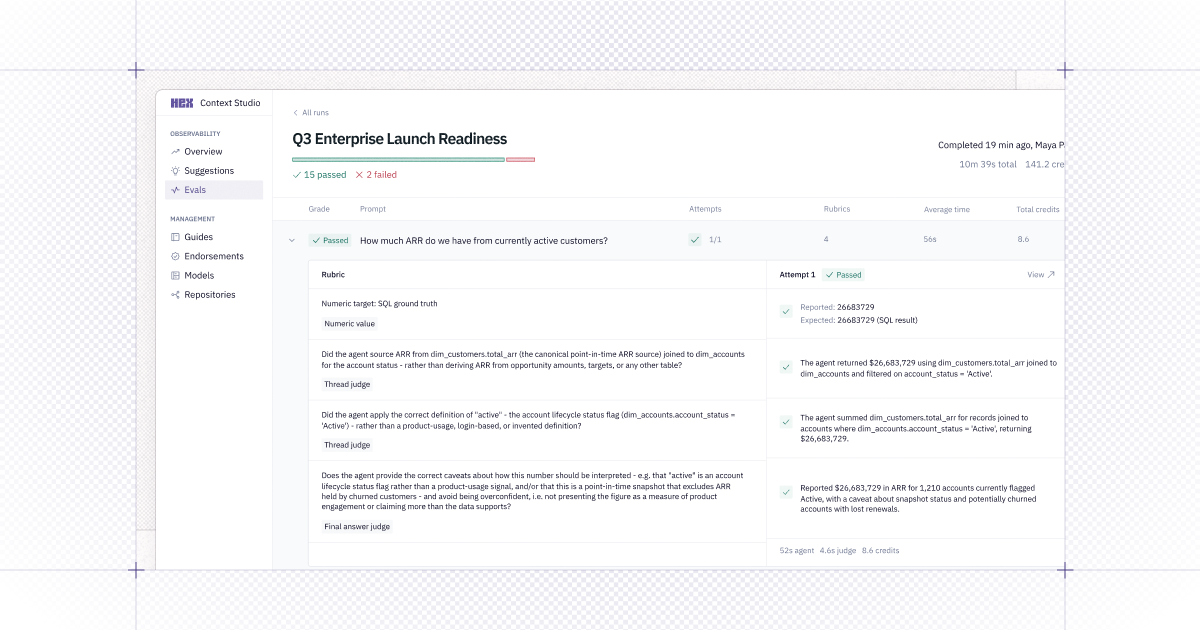
🧪 Introducing Evals
Measure Hex Agent performance and test context changes safely before they ship, all from the CLI.
If you've added a guide or tweaked a semantic model, Evals helps you measure whether it actually helped — before you publish. To do that, define a suite of test questions with expected outcomes and run them against the Hex Agent.
Evals turn agent quality and cost into something that you can measure and improve, so you're not just going on vibes.
Some ways teams are using it:
- Test context changes before publishing by forking context and running Evals to validate agent improvements.
- Catch drift before your users do by running the same Evals against production on a cadence.
- Run configuration sweeps to compare cost and pass rate side by side.
Learn more about Evals or dive into the docs for the full rubric reference.
Getting started: Install the Hex CLI and follow the bootstrap prompt for Claude Code, Cursor, or your coding agent of choice — it scans your recent Threads, clusters them into your team's most common question topics, and drafts a starter suite from real usage instead of a blank file.