🗂️ Agent activity classifications
Where someone opens the agent doesn’t tell you much about what they’re working on. People often explore data in a notebook, and a thread that starts as a quick question can end with a finished app.
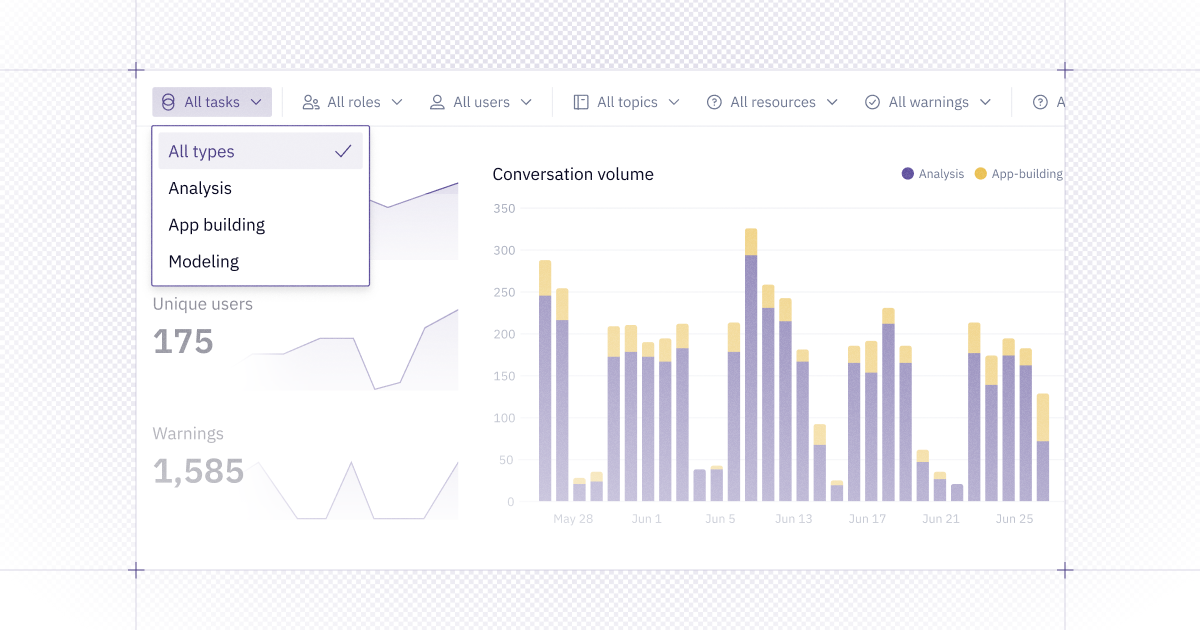
Context Studio now categorizes agent activity by what they’re for, not where they started. Instead of separate "Threads" and "Notebook agent" categories, filters and charts now show three types:
- Analysis: asking questions and exploring data
- App building: building or improving an app, dashboard, or notebook
- Modeling: building and editing semantic models
Managers and Admins can now see how their workspace uses the agent: how much is analysis and how much is building for others. Filter by type in Context Studio or with hex thread list --classification.
⚡ Fast chart edits in Generative Apps
A small chart edit shouldn’t require the full Hex Agent. Hex can now route targeted changes (like moving a legend, adjusting formatting, or adding a metric to the tooltip) to a smaller, faster model to reduce both wait time and token usage.
If a request goes beyond a simple property change, it goes to the full Hex Agent as usual, so you don’t have to decide which to use.