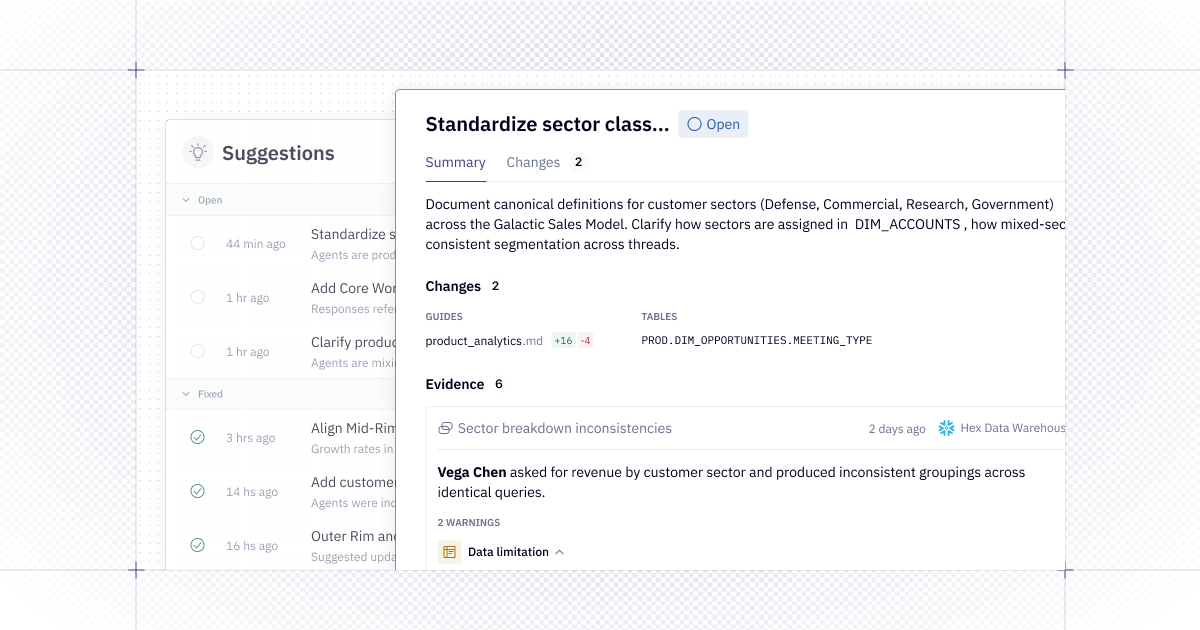
🕵🏼♀️ Introducing Context Suggestions
Every day we see how Hex changes the way people use data – and how good context creates trusted answers. Building your context up can be a lot of work - but it's even harder to know if it's working well and, crucially, how it can be improved.
And we want to make setting up, observing, and improving your context easy.
Today we’re announcing Context Suggestions in Hex. Suggestions automate context curation, turning Hex into a system that gets smarter the more you use it.
🗣️ Working with Context Suggestions
Behind every thread, Hex’s Review Agent analyzes the interaction and creates “Warnings” where a lack of context is potentially leading to confusing, incorrect, or incomplete answers.
Context Suggestions are then created based on clusters of those warnings, surfaced in a feed that the data team can review and implement.
Here’s an example of what you might see in the suggestions feed. The agent will draft an update to our guides and we can review the changes. Just click “Publish,” or make your own edits.
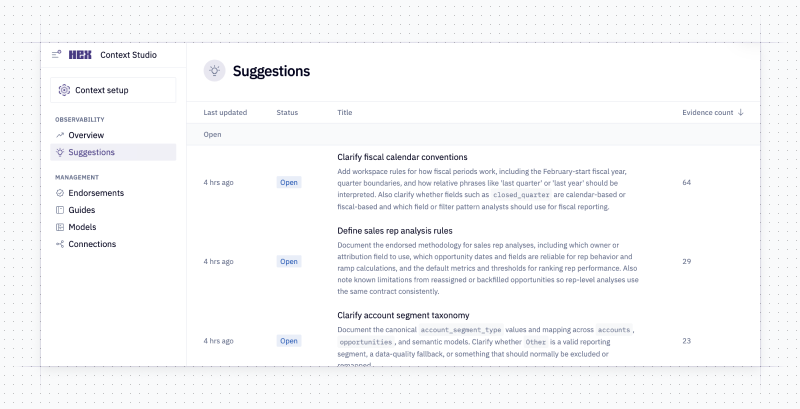
This opens up a ton of possibilities for data teams to increase their impact and roll out AI to more people without sacrificing trust.
It's all surfaced in the Hex Context Studio - the team can access suggestions, see why the Review Agent is making its suggestion, and take action right then and there.
Check out our help docs for more on suggestions.
📚 Control suggestions programmatically with the CLI
Suggestions are also surface-able in the Hex CLI so you can incorporate them into your existing workflows for metadata, semantic models, and analytics.
You can list all suggestions and get the details of specific suggestions. Each suggestion also comes with a handy string you can paste into the terminal and easily work it into any scripts you want to run to update guides in external repos or warehouse metadata.
♻️ Roll out AI Analytics to your team and continuously improve it
Our vision for Suggestions is to turn context into a self-learning system. Context is constantly flowing and evolving - with every new question, it changes a little bit. Your platform should evolve with it.
If you’re getting started with AI Analytics, our advice for you is: just get started! Try out Hex on your data and see where you get great answers and where you need to build a little more. Don’t try and model your entire warehouse before you start asking questions - by the time you’re done, your users will have a completely different set of questions!
🛠️ Other Improvements
- Run stats improvements - We’ve made some updates to run stats. Run stats now show up in a panel where you can see them side by side with your notebook, which is more useful. You can click on a step in your project run and see all the execution steps and how long it took, which is helpful for identifying performance improvements. Editors can also now see runs for all users, rather than just runs in the current session.