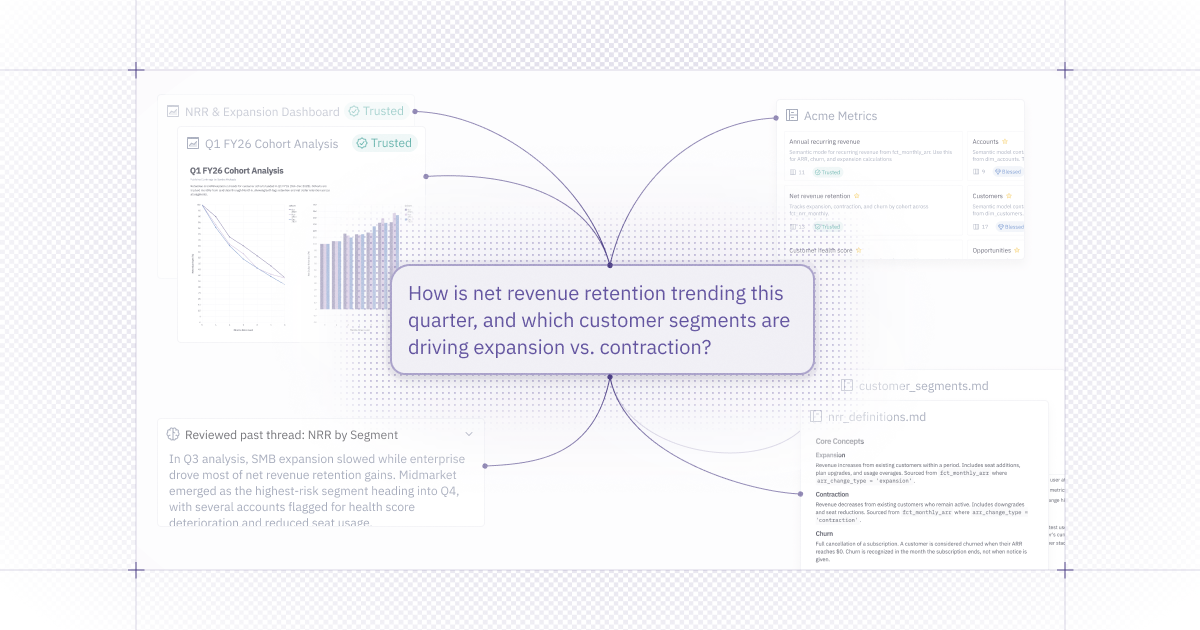
If you’re following AI Analytics you’re probably hearing a lot about context. Context is the rules and guardrails for AI. It’s how we ensure that all the work that AI is doing to answer your data questions is correct, consistent, and relevant to what you need.
But context isn’t a monolith, it’s a heterogenous puzzle. It’s tempting to believe we can build all the definitions we need first and then have a great experience with AI. But every time we interact with data we’re creating more context! It’s a moving target.
Today, we’re announcing a boatload of improvements to help you handle context.
🧠 Automatic User Memory
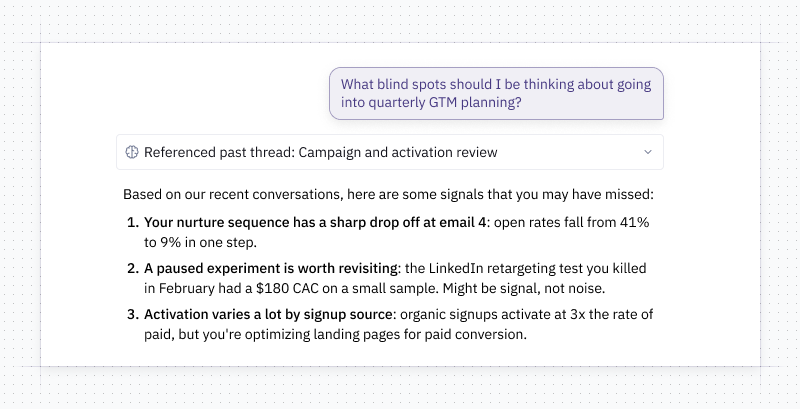
User memory is now available in the Hex Agent, which means you should have higher-quality, more stateful responses - that feel personalized to you.
The agent builds up a profile about you to help have more tailored, accurate answers. It also has the ability to go reference recent conversations you've had with the agent. This means you can ask questions like, "What do you think is most useful for me to be paying attention to?" and the agent will be able to suggest interesting insights for you to dig into.
💬 Prompt the Hex Agent from your data apps
Data apps (née “dashboards”) are where a lot of data insights are shared in reusable, interactive reports. We’ve upgraded the Hex Agent’s capabilities here.
From a data app, you can start a thread with the Hex agent. Before, your answers were strictly limited to what was in the app. Now, if the answer to your question isn’t there, the agent can use all of its context (like queries, charts, and the logical flow the analyst went through) to answer, creating new cells and chart as needed. This way, the app is a valuable set of starting context to help guide your questions, but it doesn’t limit you.
This also provides a great AI entry point for people who are used to getting their insights in dashboards: they can start with a visual report, and use the agent to ask follow-up questions.
Check out our docs for a full overview of what you can do when chatting with your apps.
🧬 Cells from projects-as-context
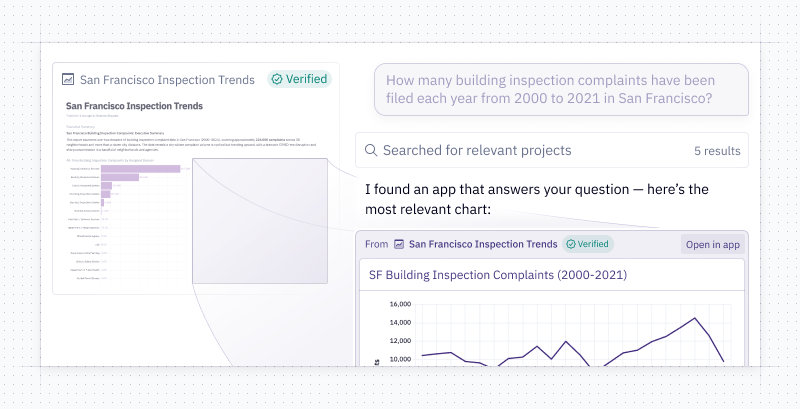
Sometimes the best answers are from assets that already exist. Now, when the agent points to a project in Threads, it can point directly to any cell in the project (like a chart or a table) and render it in-line. This makes it faster and easier to look at existing context rather than always creating new content. It’s particularly helpful when there’s a trusted metric you want the agent to reference, and you want to view it in-line.
⚠️ Previews and warnings in GitHub enable programmatic context
Guides are a great way to give the Hex Agent some rules and regulations for how to analyze your data - from sample queries to important terms. Many data teams are taking on context curation as a core responsibility, and being able to manage that context at scale is crucial.
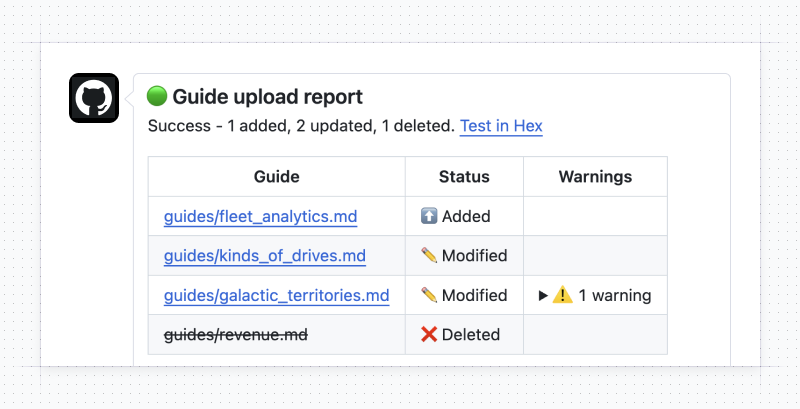
Now, you can use our GitHub action to automatically sync guides from GitHub to Hex. This allows you to control context for the Hex Agent from outside of Hex.
Now, when you push changes to your guides, the GitHub action will run validation checks and return warnings. A preview link allows you to test guide changes in Hex before you merge them, and you’ll get a GitHub comment summarizing the changes.
Manage the context for your agents programmatically and test context updates before you merge them into production! Managing agents just got more…manageable.
📜 Guides Version History
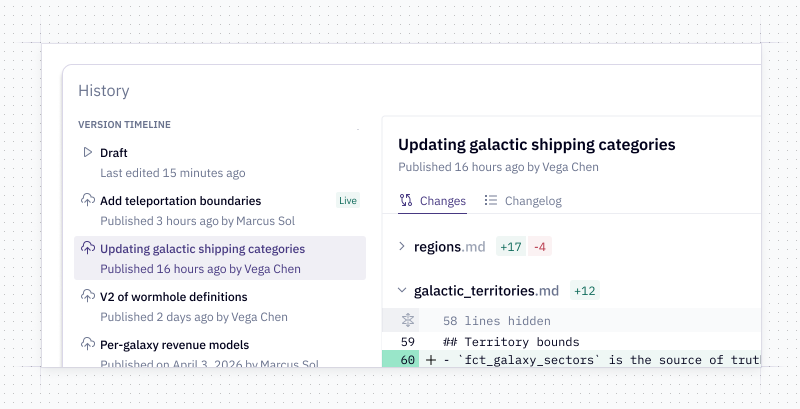
A new history sidebar in the Context Workbench shows a timeline of all published versions. Click any version to view its changes and full contents. This works for guides controlled both inside of Hex and externally in a GitHub repo or other source. You can see what the agent was working with at any point in time.
🔍 Semantic Model References
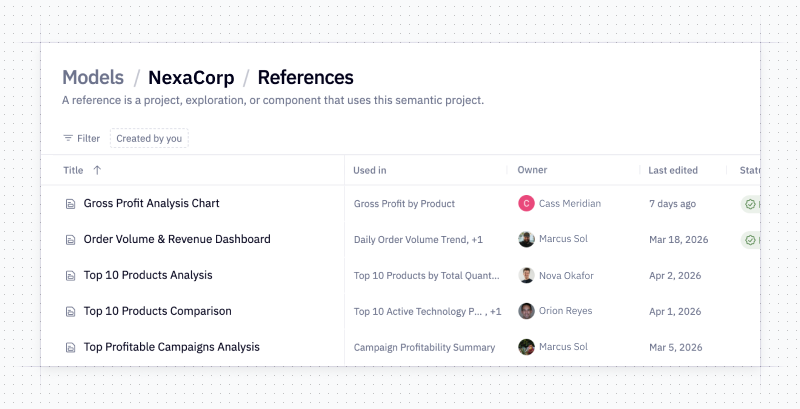
You can now “View References” on a semantic model to see every project and cell that uses it. This is especially useful when you need to deprecate or remove an old model and want confidence it won't break any projects or dashboards.
🛠️ Other improvements
- More details in context onboarding - For those of you who are still learning about context: we’ve added some more details to help you get started in Context Studio. This inescapable learning journey will link you deeper into the places in where you can build and improve your agents. You will learn about context and you will like it.
- New API endpoint for programmatically fetching images from an app - Get the rendered PNG image of a chart cell from a completed dashboard run - making it super easy to programmatically pull updated chart images you care about and add them to a doc or slide deck. See the documentation here.
- Include data in your enterprise search with Glean integration - If you’re using Glean to unify your apps into one searchable workspace, you can now add Hex into the mix. Using our MCP connector, Glean can now access Hex Projects and Threads - you can create a new Thread, continue an existing one, or pull in charts, descriptions, summaries, and direct links to Hex content.
- Better Slack + Hex Agent interactions - The Slack + Hex integration now handles more response types in Slack, including plaintext outputs, Python dataframes, and Python charts. Plus we fixed some bugs that were causing messages to be struck through or not correctly responded to. If you’re seeing any issues please let us know!