Threads
With Threads, users can ask natural language questions and get AI-powered insights based on semantic models and warehouse tables, all in a conversational interface.
The Threads agent heavily prioritizes semantic models and endorsed data sources in order to provide high quality answers.
- Threads is available on all plans, which include monthly per-seat credit grants that can be used towards Hex AI features.
- Users require an Explorer role or higher to use Threads.
- Users with any role except Guest can view Threads shared with them.
Threads quickstart guide
Threads allow users with the Explorer role or higher to interact with your data conversationally without thinking about code. Here’s a quick checklist for how to get things set up and ensure Threads generate high quality responses:
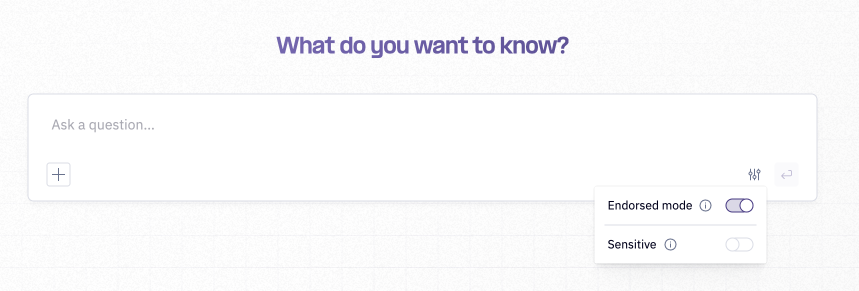
- Endorse workspace assets with statuses: Endorsed data & projects are prioritized by all agents to allow more fine-grained control over the self-serve experience and improve response quality from Threads. Admins and Editors can use Threads with endorsed assets prioritized. Enabling Endorsed Mode restricts the agent to using only endorsed assets, while turning this off allows the Agent to access all data (with endorsed assets prioritized). By default, Explorers can only use Threads in Endorsed Mode, but Admins can disable this enforcement in Settings > AI & agents. Start endorsing data and projects to make it easier for agents to know which data is prioritized when answering questions.
- Contribute to Agent Workspace Rules: If you want to guide agents with information about your organization or other high-level context about when to use which data, you can add to the Agent Workspace Rules.
- Curate context to improve AI results: Provide Hex agents with a focused view on relevant information, leading to more accurate suggestions. Limiting, excluding, or endorsing data helps agents more precisely find what they're looking for.
Where to find Threads
Within Hex
If creating Threads is enabled for a given user, they will see a prompt bar on the homepage. Entering a prompt from the homepage will create a new Thread.
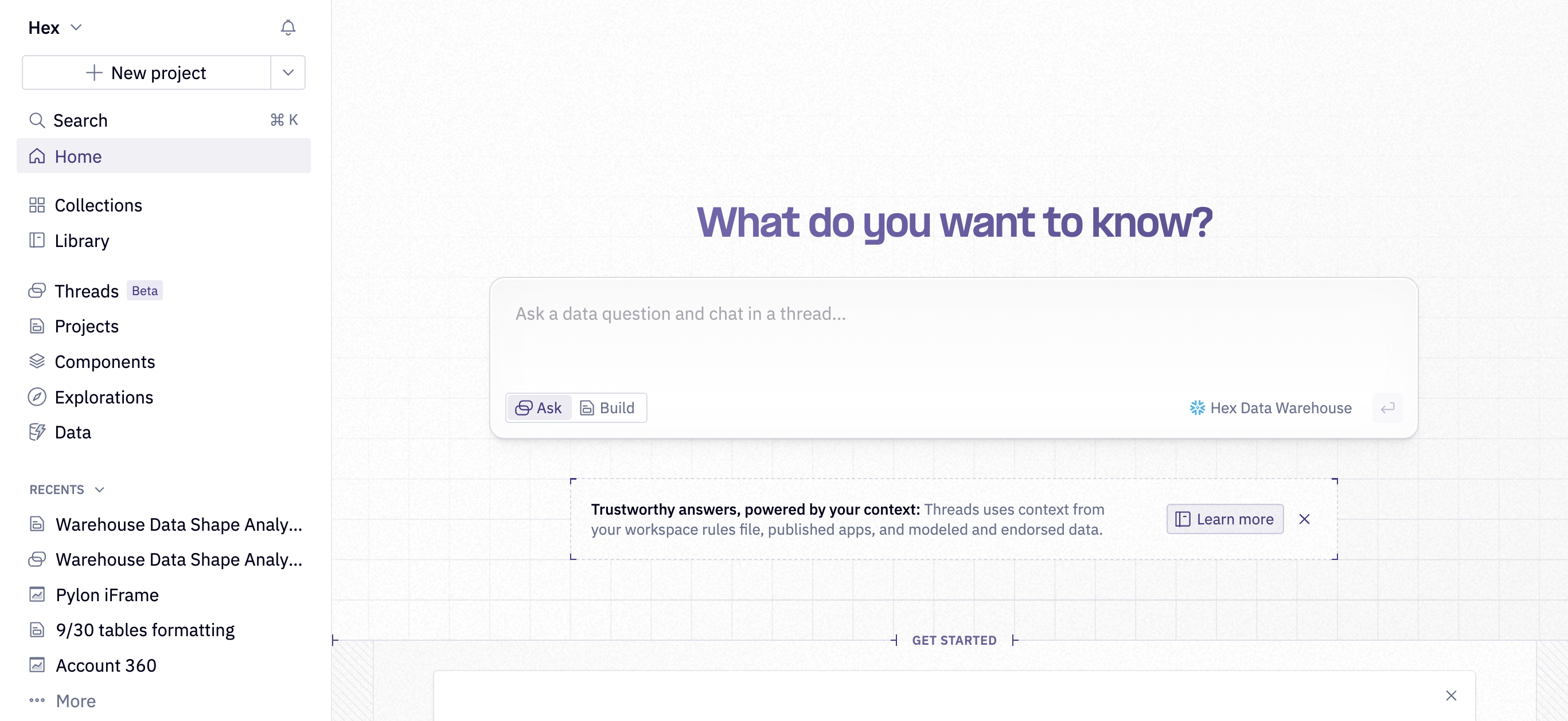
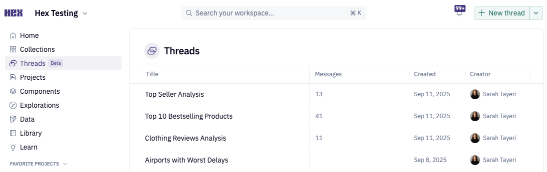
All users will have access to a Threads page on the left side of their homepage. Users without the ability to create threads will see threads that have been shared with them in this page. Users with the ability to create threads will also see threads they've created in this list and can use a New thread button.
All users will see recently created threads that they have access to in the "Jump Back In" section of their homepage.
Slack
Hex’s Slack integration enables you to interact with Hex Threads directly in your Slack workspace. As part of the agent's response in public and private Slack channels, the Hex Agent will return a Threads link.
MCP Server
The Hex Model Context Protocol (MCP server) enables AI assistants like Claude and Cursor to kick off Threads within your Hex workspace.
CLI
Hex's Command Line Interface (CLI) can be used directly or via a local AI agent to automate Hex workflows, including creating and returning Threads.
Data sources
To answer a user's question, the agent searches across all connections, databases, schemas, and tables that are included for AI and that the user has access to. It uses connection names, descriptions, and schema metadata to determine which connection contains the relevant data, and can query multiple connections within a single conversation if needed. If your workspace has a default data connection, the agent will search it first before looking at other available connections.
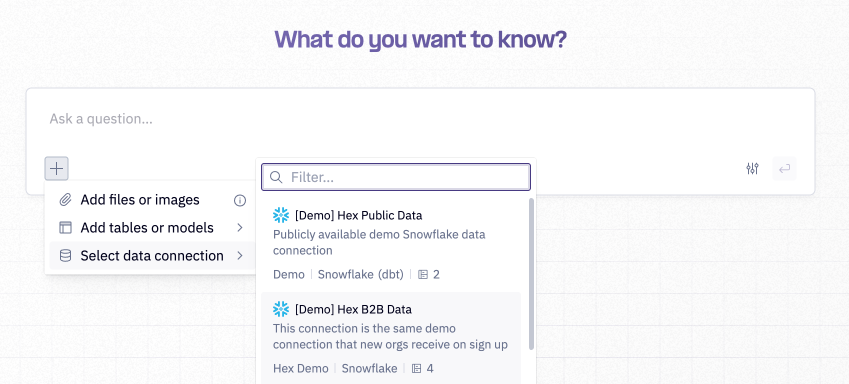
Users can steer the agent toward a particular connection by selecting one via the + menu in the prompt bar. The agent will prioritize that connection first, but can switch to or add other connections in the same conversation when useful.
To understand how to optimize your data connections for the agent, check out our Optimizing your data connections for the Hex Agent tutorial.
Endorsed Mode on: Agent can access endorsed assets only
When the agent is restricted to only use endorsed assets, Threads will only search for endorsed projects and data in your workspace as context to inform how it answers questions.
Endorsed Mode off: Agent can access all data
When the agent is not restricted to only use endorsed data, Threads will still prioritize endorsed data when relevant, but can access all data in the connection. Threads will also use metadata like column and table descriptions and data endorsements as context to inform how it answers questions.
Threads behavior and exploring
To use Threads, it's as simple as asking a question in the prompt bar. After you hit enter on your question, Threads will display the agent's thinking text and show you the tools the agent is calling, as well as the results of those tool calls, in real time.
The agent has a search tool to find existing published apps in the workspace that may answer the user's question. The tool call searches the workspace for published apps, prioritizing endorsed projects, and the agent judges whether the projects are relevant enough to the user's question. If the agent deems any published apps to be useful, the agent will return the published apps to the user as part of its response. The agent will not look at any unpublished projects.
Other examples of tools include searching for semantic columns, creating visualizations, generating and executing SQL, and looking at visualization results.
When the agent returns a response, the tool calls and thinking text will be collapsed automatically. You can always expand the tool calls and thinking text to understand how the agent arrived at a particular result.
In the agent response, the agent will typically explain the logic it used to arrive at the returned insight, and share results in the form of tables, pivots, and visualizations. Users can interact with results in similar ways that they'd interact with a published app; they can hover over visualizations for tooltips, and explore from cells to make tweaks to visualizations the agent produces. For example, if the agent produces a stacked bar chart to visualize a result, a user could continue analysis manually by exploring from the chart to change the field that is colored by, and change the visualization type.
Of course, users can also ask follow up questions in their threads to tweak results.
If there is a particular data source you want the agent to use when answering your question, you can tag data sources with @ in your prompt.
Viewing the project behind a Thread
Every Thread is backed by an unlisted project that the agent uses to answer questions. Editors and above can navigate between the Thread, Notebook, and App view from the top of the page:
- Agent — the conversation itself. This is the default view when you start a new thread.
- Notebook — the Notebook the agent has been building in, where you can see the underlying logic.
- App — a preview of the app, if one has been made.
You can open the Notebook or App view side-by-side with the conversation, or return to a fullscreen view of the conversation. Selecting a cell reference in one of the agent's responses will take you directly to that cell in the Notebook.
Web search
The Threads Agent can search the web and extract content from URLs—pulling in real-time information beyond what's available in your workspace. Ask a question and it searches on its own when needed, or drop in a URL to pull the page contents directly into context. Admins can enable/disable this feature in workspace settings.
Projects as context
When answering questions, the agent will search across the workspace for relevant projects on its own, prioritizing Endorsed projects - and if Endorsed Mode is enabled, surfacing only those. When the Agent uses a project, it will cite what it used (e.g. links to the project or specific cells) so you can see where the answer came from. Users can also @-mention or paste a URL from a specific project into their prompt to focus the agent's work.
To influence which projects the agent surfaces, optimize the following metadata on your projects:
- Title — use clear, descriptive names that reflect the project's content
- Description — summarize what the project covers and when it's useful
- Category — tag it appropriately so the agent can match it to relevant questions
- Endorsed status — mark high-quality projects as Endorsed to ensure the agent prioritizes them. This also allows them to be surfaced in Endorsed Mode.
The agent can surface all projects that you have Can view app or higher access to, but can only view the source code and outputs for projects you have Can explore or higher access to.
In order to view a Thread that has been shared with you, you must have at least Can view results access on all data connections that were used in the Thread, including data connections used in the projects the agent used as context.
Choosing a model and effort
The Model & Effort Picker is an optional control in the Threads prompt bar that lets you choose which underlying model powers your thread and how much reasoning depth it applies.
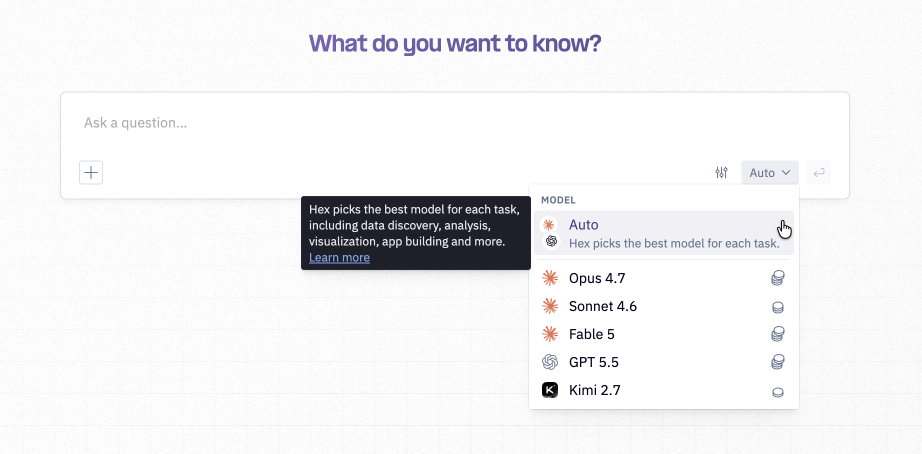
Model selection
By default, Threads runs on Auto. Hex does not do model routing — Auto defaults to a single model Hex chooses to optimize for speed, cost, and quality. Auto is the right choice for most day-to-day analytics questions. If you need a smarter or cheaper model for a task, select it from the model picker. Your model selection is stored per thread, so reopening a thread restores your last-used model and effort. New threads always start on Auto.
Admins can also set a default model for the whole workspace from Settings > AI & Agents. This default model will apply across all agent surfaces (including Threads, Notebook Agent, Chat with App) and entrypoints (including Slack, MCP, CLI).
If you specify a model, that model will only be applied to the main agent. Model selection does not apply to subagents that are built for purpose specific tasks such as visualizations.
Effort levels
Effort is only available when you've selected a specific model (not on Auto). The effort levels available in Hex map directly to the effort levels exposed by the underlying AI provider for that model. For guidance on how each level behaves and when to use it, refer to the provider's documentation: Anthropic effort levels and OpenAI reasoning effort.
For information on how model and effort choices affect credit consumption, see Credits.
Check out our Model picker best practices for more on making the most of the Model & Effort Picker.
Uploading files
File uploads in Threads requires the allow file uploads setting to be turned on.
Upload files to bring external context into Hex quickly. Add a file or image, and the agent can reference it for analysis, summaries, and answers.
CSV
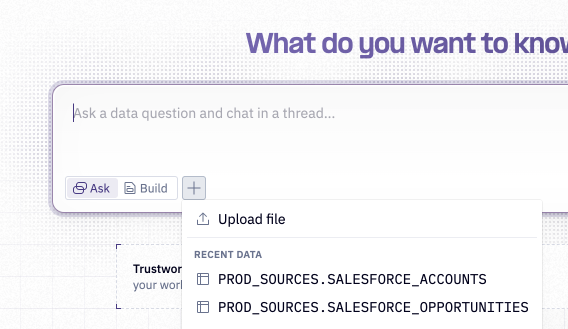
Upload and analyze CSV data with Threads. Users can upload CSVs and the agent can craft queries based on the file provided. The agent is also capable of joining the CSV data with existing warehouse data, enabling cross-source insights through a simple file upload.
Images
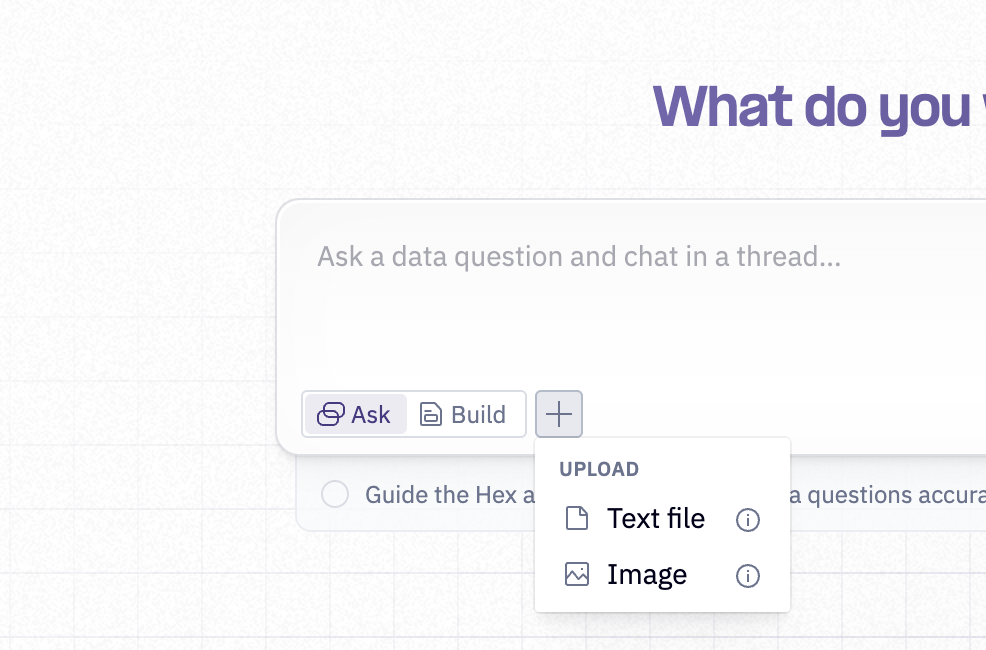
Upload an image to be used in analysis. Agents can use it to answer questions, extract details, and incorporate the asset into the analysis.
Sharing
To share, open the Share modal in the upper right.
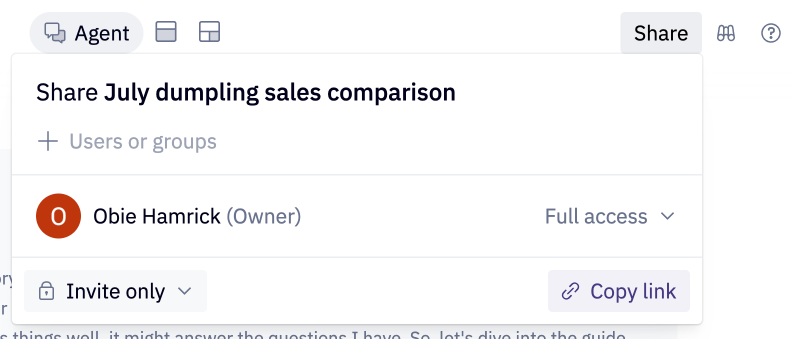
In the modal, choose to share the thread with individual users, groups of users, or with the entire workspace, and choose a permission level:
- Full access — full permissions to edit, share, rename, and delete the underlying project.
- Can edit — can edit the underlying project's contents directly in the Notebook.
- Can view — can view the agent conversation.
- Can view app — can view and comment on the published app, if one exists.
Regardless of permission level, only the thread's creator can send new messages in the original agent conversation. Anyone with Can edit access or higher can still make changes directly in the unlisted project.
A recipient will only be able to view a thread that has been shared with them if they have Can view results access on all data connections that were used in the Thread, including data connections used in the projects the agent used as context.
If further prompts are sent and analysis is performed in a Thread that has been shared with users, recipients will be able to see the Thread update in real time.
Unlisted projects
Every Thread is backed by a project. To keep your workspace's project list focused on finished work, that project starts out unlisted — hidden from your workspace's project list, search, and the public API until you save it.
You can tell a thread's project is unlisted by the Unlisted label at the top of the Notebook or App view. Unlisted projects still follow the same sharing and data connection permissions as any other project, but are excluded from broader discovery until you decide to save them.
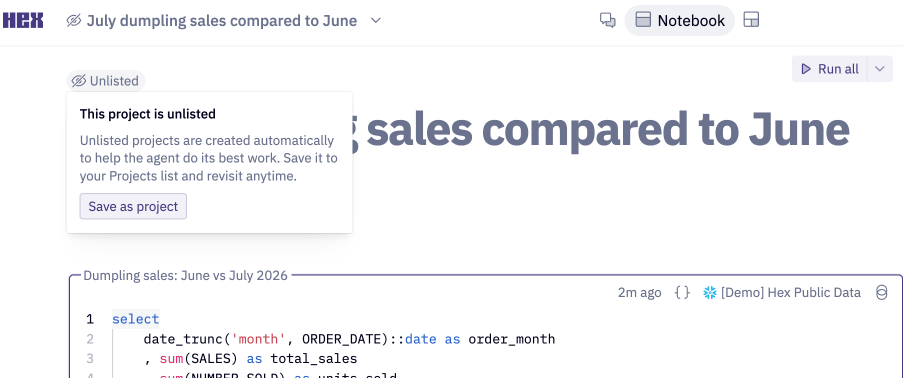
Saving your Thread as a project
Users with Editor roles or higher can save an unlisted project to make it visible in the workspace's project list. Hover on the Unlisted label, then select Save as project.
Saving a project won't create a copy of your Thread's work — it's the same project your Thread has been using all along, made visible to the rest of your workspace. The Thread stays attached to the project, so you can keep chatting with the agent. Others with Can edit permissions can edit the Notebook or start their own agent conversations on the project, but can't continue your original Thread.
Sensitive Threads
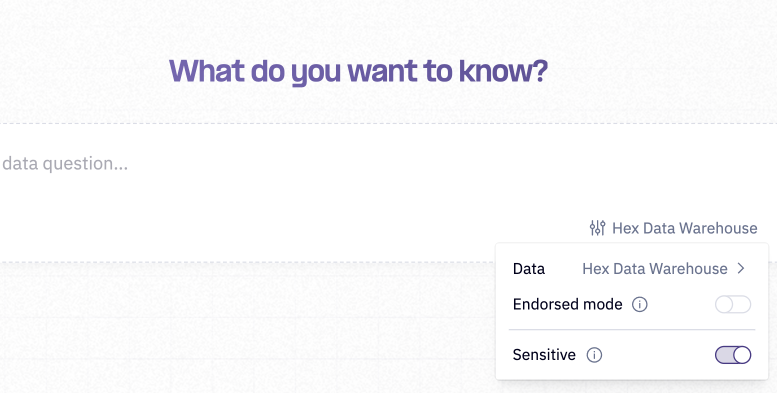
Sensitive threads allow users to ask sensitive questions while reducing their visibility to workspace admins. When a thread is marked as sensitive, its contents are hidden in Context Studio - admins can see that the thread exists, along with the creator and timestamp, but not the messages themselves. Sensitive threads otherwise behave like regular threads. Workspace admins can still access the full contents if they have a direct link to the thread, so sensitive mode does not guarantee absolute privacy.
We recommend that users only use sensitive threads when necessary, because it makes it more difficult for your admins to monitor and improve agent behavior for your workspace.
OAuth and Threads
When using Threads with an OAuth data connection, query credentials follow the connection's authoring queries setting.
If the connection requires personal credentials and Sharing results is Keep private to each user, users cannot share Threads with other users in the workspace.
If personal credentials are required but Sharing results is Shared across users, Threads can be shared as usual. Recipients see outputs created with the credentials that ran those queries.
Scheduling Threads with Tasks
To run an agent analysis on a recurring schedule and deliver the result to Slack or email, create a Task. Each Task run kicks off a brand-new Thread that you can reply to and explore from.
Improving Threads results
Workspace Managers and Admins can curate context in the workspace to continually improve Threads results. Workspace Managers and Admins can add context in the form of semantic projects, project and data endorsements, data metadata, and the agent rules file. Read more about curating context to improve AI results in Hex here.