Endorsements
Indicate which data assets are trusted in your workspace.
info
- Available on the Team and Enterprise plans.
- Admins, Managers, Editors, and Explorers can view the Endorsements tab.
- Only Admins and Managers can edit context asset statuses.
Endorsements indicate which data assets are trusted in your workspace. Endorsed assets are prioritized when agents answer questions and act as a clear visual signal to end users that the data has been reviewed and approved by workspace Admins or Managers.
Endorsements can be applied to multiple asset types, including:
- Schemas and tables in data connections
- Projects in your workspace
- Semantic models
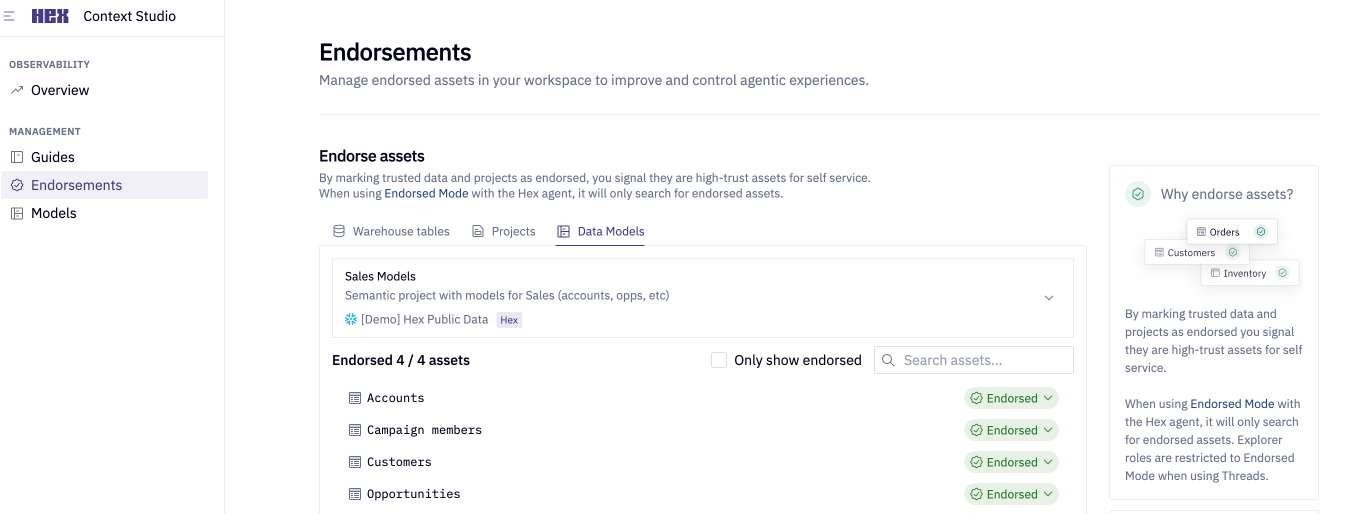
Admins and Managers can manage asset statuses directly on this page. See Endorsed statuses for more details.
Managing endorsements via API
In addition to the Context Studio interface, you can programmatically manage endorsements using the Hex API. This is useful for bulk updates or integrating endorsement management into your existing workflows. The following endpoints are available:
UpdateSemanticProject— Update status for datasets and views in semantic modelsUpdateDataConnectionSchema— Update status for warehouse databases, schemas, and tablesUpdateProject— Update status for projects