Typeahead
Accelerate your development with Typeahead.
Our code typeahead augments your workflow to write code faster with less work, taking into account your project context to give you powerful, tailored suggestions, directly in-line while you’re typing.
Typeahead must be enabled for your Workspace in order to be available for personal use. A Workspace Admin can enable Typeahead under Settings > AI & Agents as described here.
Enable Typeahead
Enable Typeahead for your Workspace and at a Personal level in order to utilize Typeahead. Enabling Typeahead at the Workspace level will allow the feature to be accessed by members of your workspace, and members must individually enable Typeahead in their personal settings in order to access the feature.
Enable Typeahead for your Workspace
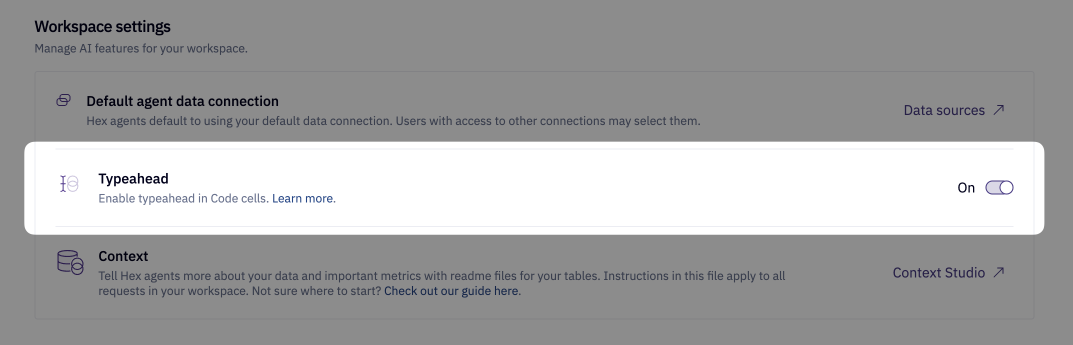
A Workspace admin can enable Typeahead via Settings > AI & Agents > Typeahead as shown below.
Enable Typeahead for personal use
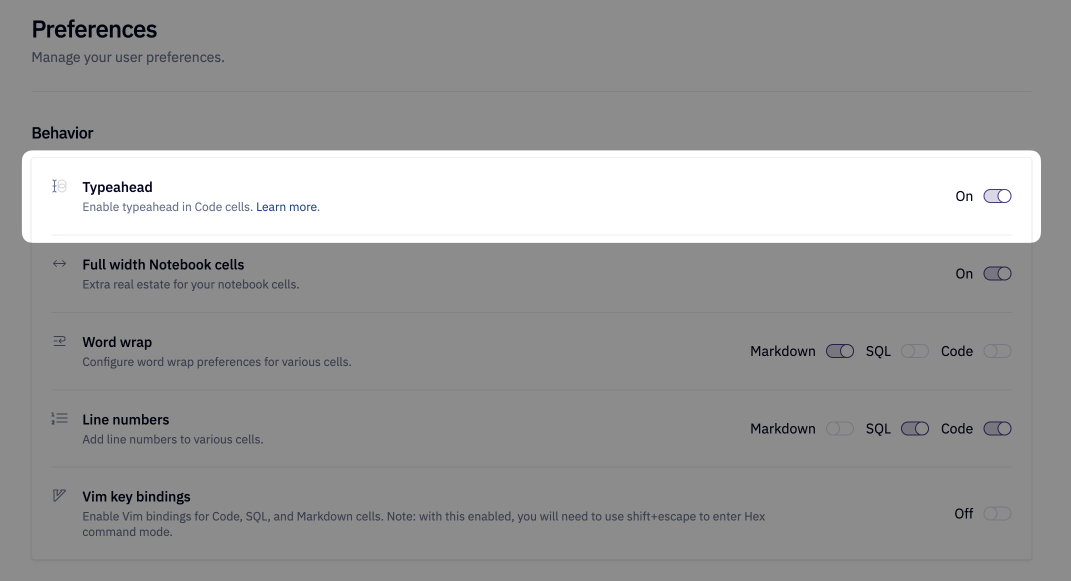
Enable Typeahead for personal use via Settings > Preferences > Typeahead.
Using Typeahead
To use Typeahead directly in line while you’re typing, simply hit Tab to accept a complete suggestion, or CMD + → to accept completions token-by-token.
Typeahead Security
Typeahead is powered by a hosted open source model. For more details, see here.